






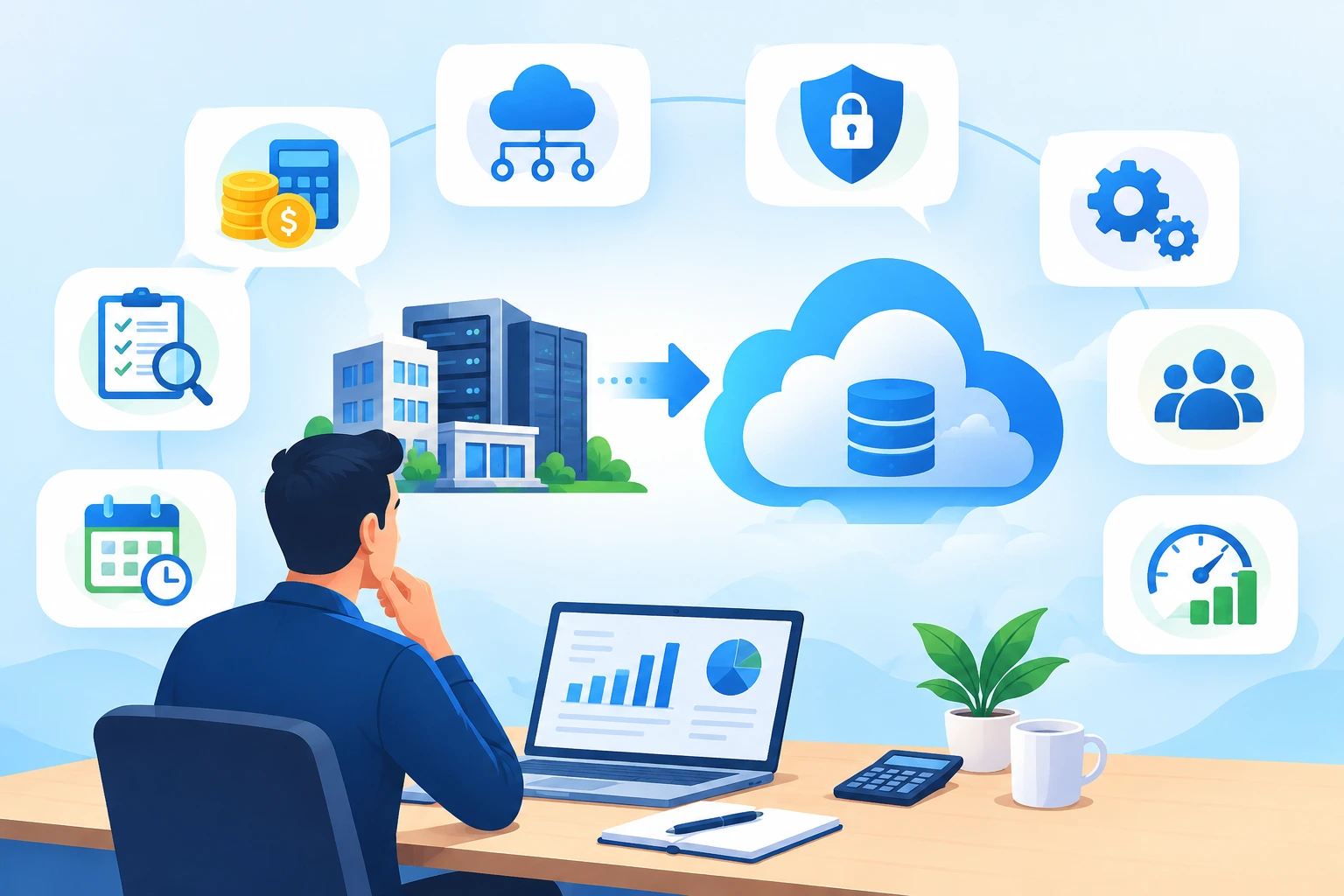
Cloud Migration Cost: What SMBs Need to Plan Before Migrating
Cloud migration can improve scalability, resilience, and operational flexibility, but the cloud migration cost is rarely limited to moving servers and applications.
For SMBs, major budget risks can appear around assessment, data movement, temporary infrastructure, application changes, security, skills, and post-migration optimization.
The goal is not simply to find the lowest migration quote. It is to build a realistic cost model before migration begins, separate one-time project costs from recurring cloud costs, and protect both business continuity and cloud ROI.
This guide explains the costs of cloud migration, the mistakes that create budget overruns, and practical ways SMBs can build a more predictable migration plan.
At a Glance
- Cloud migration cost includes preparation, migration execution, transition, and ongoing cloud operations.
- Assessment and dependency mapping can expose application, licensing, security, and infrastructure work before migration starts.
- Data transfer, parallel environments, refactoring, security, disaster recovery, and training can change the original budget.
- Cloud cost optimization must continue after go-live; a successful migration can still create unnecessary monthly spend.
- A phased migration plan with clear ownership and cost governance makes the financial outcome easier to control.
Planning a cloud migration and unsure what to budget?
What Makes Up Cloud Migration Cost?
A useful cost model separates expenses into preparation, migration execution, transition, and ongoing operations. This prevents teams from comparing only the migration project fee while overlooking costs that appear before or after cutover.
| Cost area | What to include | When it occurs |
| Assessment & planning | Discovery, dependency mapping, architecture, readiness and cost modeling | Before migration |
| Migration execution | Data movement, tooling, engineering, testing and remediation | During migration |
| Transition | Parallel environments, temporary licenses, support and rollback capacity | During cutover |
| Security & resilience | IAM, monitoring, logging, backup, DR and compliance controls | Before + after migration |
| Ongoing operations | Compute, storage, networking, licensing, support and optimization | After migration |
Pre-Migration Assessment: Budget for the Work Before the Move

One of the most common SMB cloud migration challenges is starting execution before the existing environment is understood. Legacy servers may support undocumented applications, integrations, scheduled jobs, databases, file shares, or authentication dependencies.
A proper assessment should document workloads, owners, dependencies, utilization, licensing, security requirements, performance baselines, and business criticality. This is also where teams should identify workloads that need modernization instead of assuming everything can be moved unchanged.
Use a cloud readiness and migration assessment to establish a realistic baseline before selecting the migration sequence. The purpose is not to add unnecessary work; it is to reduce rework and make the cost of cloud migration easier to estimate.
Start with a cloud readiness assessment
Data Transfer and Cloud Infrastructure Costs

Data movement is an area where an initial estimate can diverge from the final bill. Large datasets may require significant transfer capacity, migration tooling, temporary storage, synchronization, or multiple transfer cycles.
Infrastructure sizing also matters. Underestimating compute, storage, or network capacity can create performance problems. Overestimating it can leave the business paying for resources it does not need.
To reduce infrastructure related cloud migration costs, estimate workload utilization from real usage patterns rather than simply copying the specifications of existing servers. Separate baseline capacity from peak demand and define how resources will scale.
Dual-Running Infrastructure: The Overlap Cost

During many migrations, the on-premises environment cannot be switched off immediately. The legacy and cloud environments may need to operate in parallel while workloads are replicated, tested, validated, and prepared for cutover.
That creates temporary overlap across compute, storage, security tooling, software licenses, connectivity, and support. The longer the transition takes, the more this overlap can affect the total cloud migration cost.
- Set a target cutover date for each workload.
- Identify which resources must remain active for rollback.
- Track temporary cloud and on-premises resources separately.
- Automate repeatable migration and validation activities where practical.
- Decommission legacy resources only after business and technical validation.
Application Refactoring: When Lift-and-Shift Is Not Enough

Moving an application without changing its architecture can be appropriate for some workloads, but it is not automatically the lowest-cost option over the full lifecycle. Legacy applications may have fixed capacity, outdated dependencies, licensing constraints, or architectures that do not take advantage of cloud services.
Cloud migration cost estimation best practices therefore include a workload-by-workload decision: rehost, replatform, refactor, rearchitect, rebuild, or retain. The right choice depends on business criticality, technical debt, performance requirements, timeline, and expected value.
| Approach | Typical objective | Cost consideration |
| Rehost | Move with minimal application changes | Lower initial engineering effort; optimization may come later |
| Replatform | Make targeted changes for better cloud operation | Moderate migration effort |
| Refactor / rearchitect | Redesign application components | Higher upfront effort; potentially better long-term efficiency |
| Rebuild | Create a new cloud-oriented implementation | Highest transformation effort |
| Retain | Keep workload where it is temporarily | Avoids immediate migration effort but preserves legacy costs |
If application changes are substantial, application modernization should be treated as part of the business case rather than discovered after the workload has already moved.
Skills, Training, and Change Management

Cloud migration changes how infrastructure is provisioned, secured, monitored, and optimized. Teams may need new skills in cloud administration, identity, automation, governance, security, and cost management.
- Assign an owner for each migrated workload.
- Document operating procedures before production cutover.
- Define ownership for security, cost, backup, monitoring, and incident response.
- Provide role-specific cloud training where gaps exist.
- Create a handover plan between the migration team and operations team.
Security, Compliance, and Governance Costs

Security should be included in the migration budget from the beginning. Identity and access controls, encryption, logging, monitoring, vulnerability management, backup, and governance can all require configuration, tooling, or specialist effort.
For regulated environments, the migration plan may also need data classification, retention controls, audit evidence, policy updates, and compliance validation. Treating these as post-migration tasks can create avoidable delays and unplanned spending.
The important question is whether the required controls have been identified early enough to be included in the migration design and financial model.
Disaster Recovery and Business Continuity

Cloud adoption does not remove the need for disaster recovery. The migration plan should define recovery objectives, backup requirements, failover architecture, recovery testing, and ownership.
Budgeting for disaster recovery early helps prevent a common problem: migrating production workloads first and discovering later that the required resilience architecture was not included in the original cost model.
For organizations reviewing disaster recovery requirements, disaster recovery architecture and best practices can help frame the resilience discussion before production cutover.
Build resilience into the migration plan
Post-Migration Costs: Where Cloud Spend Can Drift

Migration is not the end of cloud cost management. Once workloads are live, spending can increase through idle resources, oversized virtual machines, unused storage, unnecessary snapshots, inefficient architecture, or uncontrolled data movement.
Cloud cost optimization should therefore be part of the operating model from day one. Establish budgets, usage alerts, resource ownership, tagging or equivalent governance, rightsizing reviews, and automated scaling policies.
| Post-migration risk | What to monitor | Action |
| Idle resources | Unused VMs, disks, IPs and services | Remove or schedule resources |
| Overprovisioning | CPU, memory and storage utilization | Right-size workloads |
| Uncontrolled growth | New resources and services | Set governance and budget alerts |
| Data transfer | Egress and cross-region movement | Review architecture and transfer patterns |
| Unused licenses | Legacy or duplicate subscriptions | Reconcile licenses |
| Poor visibility | Spend without workload ownership | Improve reporting and ownership |
How to Estimate Cloud Migration Cost More Accurately
There is no single fixed cost of cloud migration for every SMB. A reliable estimate depends on workload count and complexity, data volume, migration approach, architecture, security requirements, timeline, and specialist support.
- Inventory workloads, applications, databases, storage, users, network dependencies, and licenses.
- Classify workloads by business criticality and technical readiness.
- Choose a migration approach for each workload.
- Estimate one-time migration effort separately from recurring cloud operating costs.
- Model temporary dual-running and rollback requirements.
- Include security, backup, disaster recovery, monitoring, support, and training.
- Create conservative, expected, and optimized scenarios.
- Review the model after pilot migration results are available.
Cloud Migration Cost Checklist for SMBs
| Checklist item | Questions to answer |
| Current environment | What workloads, applications and dependencies exist? |
| Business priorities | Which systems must move first, and which can wait? |
| Migration strategy | Will each workload be rehosted, replatformed, refactored, rebuilt or retained? |
| Data movement | How much data must move, and how often will synchronization occur? |
| Temporary overlap | How long will on-premises and cloud environments run together? |
| Licensing | Which licenses change, remain, or become redundant? |
| Security | Which identity, encryption, logging and monitoring controls are required? |
| Resilience | What backup, DR and recovery capabilities are required? |
| People | Which skills exist internally, and where is specialist support required? |
| Operations | Who owns monitoring, governance and cost optimization after cutover? |
Choosing the Right Cloud Service Provider to Minimize Risk
Choosing a provider or migration partner should not be based only on the quoted project price. Compare how each provider handles assessment, architecture, migration execution, security, testing, cutover, documentation, support, and post-migration optimization.
- Can they demonstrate a structured assessment and dependency-mapping process?
- Can they explain one-time and recurring costs separately?
- How do they handle rollback and business continuity?
- What is included in testing and post-migration support?
- How will cloud spend be monitored and optimized after go-live?
- Can they provide relevant migration case studies and technical outcomes?
For SMBs that need broader cloud consulting, the evaluation should also cover architecture, readiness, roadmap development, governance, and ongoing advisory support.
Strategies to Build a Cost-Effective Cloud Migration Plan
The most effective way to reduce the costs of cloud migration is not to remove necessary activities. It is to prevent avoidable work and make decisions earlier.
- Align migration goals with measurable business outcomes.
- Prioritize workloads instead of migrating everything at once.
- Pilot representative workloads before large-scale migration.
- Use real utilization data for sizing and financial modeling.
- Automate repeatable provisioning, replication, testing, and validation.
- Define decommissioning criteria for legacy infrastructure.
- Make cost governance part of the production operating model.
- Review performance and spend continuously after migration.
A structured approach supports optimizing cloud migration process outcomes while balancing cost, performance, resilience, security, and business continuity.
See migration and managed services in practice
Why Choose HexaCorp for Cloud Migration?
A successful cloud migration requires more than moving infrastructure. It requires a structured approach across discovery, migration planning, execution, security, monitoring, optimization, and ongoing operations.
HexaCorp supports organizations across cloud assessment, migration, infrastructure, security, monitoring, and optimization. The focus is on building a migration roadmap that matches workload requirements and business priorities rather than applying the same migration pattern to every environment.
Organizations looking specifically for cloud migration services can use the broader cloud services offering as the next step after reviewing their requirements.
See Azure Migration in Practice
Real migration outcomes are useful when evaluating a partner because they show how technical decisions were applied to an actual environment.
HexaCorp’s IT Migration & Managed Services case study covers Azure-based file services, identity, infrastructure monitoring, and managed support.
For an Azure-specific example, review the Transforming Healthcare IT with Scalable, High-Performance Azure Cloud Migration case study to see how Azure migration was applied in a real business environment.
Planning a move to the cloud?
Let’s help you identify cost drivers, migration priorities, and next steps before unexpected expenses appear.
Start With a Clear Cloud Cost Model
Cloud migration can create long-term business value, but the financial outcome depends heavily on decisions made before workloads move. By identifying hidden costs early, choosing the right migration approach, planning for transition, and continuously optimizing the cloud environment, SMBs can make their migration more predictable and easier to manage.
Planning a move to the cloud?
FAQs About Cloud Migration Cost
What are the hidden costs of cloud migration?
Common hidden costs include assessment and dependency mapping, data transfer, temporary dual-running infrastructure, application changes, licensing, security controls, training, disaster recovery, and post-migration optimization.
Why does cloud migration cost more than expected?
Budgets often increase when workload dependencies, application readiness, licensing, data movement, temporary infrastructure, or post-migration operations are not included in the original model.
What is the cloud migration cost for an SMB?
There is no single fixed cost. It depends on workload count and complexity, data volume, migration approach, architecture, security requirements, timeline, and specialist support.
How can SMBs reduce cloud migration costs?
Use an assessment-first approach, prioritize workloads, right-size resources, model data transfer and temporary overlap, automate repeatable tasks, and establish cost governance before and after migration.
What is application refactoring in cloud migration?
Application refactoring means changing an application’s code or architecture so it can operate more effectively in the cloud. It can improve scalability and efficiency but may add upfront migration effort.
What is dual-running infrastructure?
Dual-running means keeping the existing on-premises environment and the new cloud environment active at the same time during testing, synchronization, and cutover. It creates temporary overlapping costs.
How can businesses improve cloud ROI after migration?
Monitor usage and spend, right-size resources, remove idle assets, automate scaling, review data-transfer patterns, optimize architecture, and assign clear ownership for cloud costs.
