






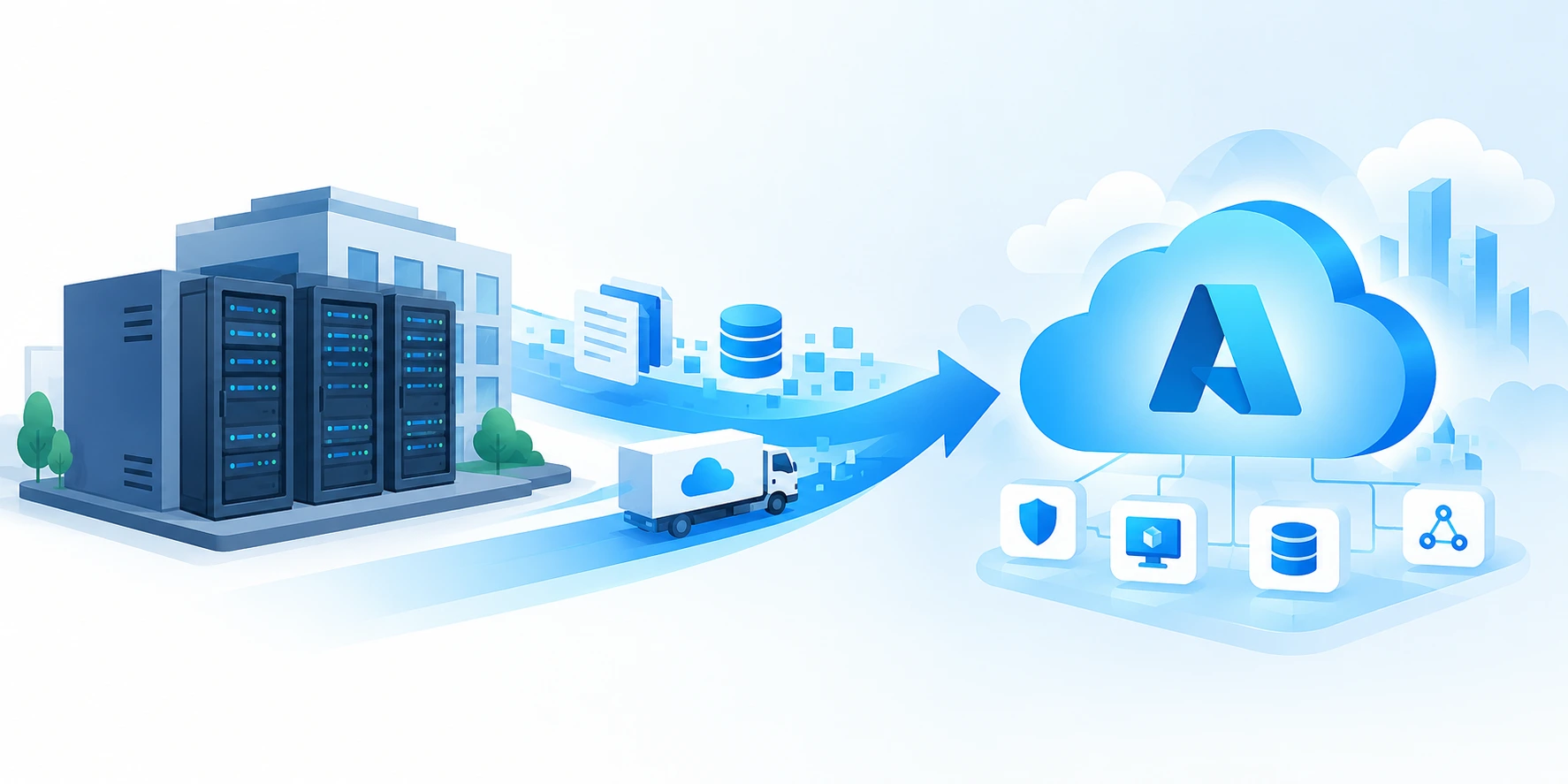
On-Premises to Azure Cloud Migration: What You Need to Know Before You Move
Migrating workloads from on-premises infrastructure to Microsoft Azure is more than a technology migration. It can affect infrastructure costs, scalability, security, resilience, application performance, and the way IT teams operate.
A successful on-premises to Azure cloud migration starts with understanding the current environment. Before moving servers or applications, organizations need to identify workloads, dependencies, data, security requirements, performance expectations, licensing considerations, and business priorities.
This guide explains the Azure cloud migration process from assessment and planning through migration, testing, optimization, security, and ongoing management. It also provides a practical checklist to help teams prepare for an on-premises to Azure migration.
- Assess infrastructure, applications, data, dependencies, and business requirements before selecting a migration approach.
- Choose the right strategy including rehost, replatform, refactor, rearchitect, rebuild, or retain, based on workload requirements
- Plan migration waves instead of moving everything at once.
- Use replication and testing to reduce operational disruption and validate workloads before production cutover.
- Optimize Azure resources after migration instead of simply reproducing on-premises infrastructure in the cloud.
- Build security, governance, identity, backup, disaster recovery, and monitoring into the target environment.
- Use a clear migration roadmap with measurable business and technical outcomes.
Planning an On-Premises to Azure Migration?
Why Move from On-Premises to Azure?
Organizations consider moving to Azure for different reasons. Some want to reduce dependence on physical infrastructure. Others need greater scalability, stronger resilience, faster deployment, improved remote access, or a more flexible foundation for modernization.
- Scalability: Scale compute, storage, and services as business demand changes.
- Resilience: Design workloads for availability, backup, and disaster recovery requirements.
- Cost visibility: Move toward consumption-based models while actively managing cloud spend.
- Agility: Provisioning resources and environments faster than traditional infrastructure processes may allow.
- Security: Use cloud-native identity, security, monitoring, and governance capabilities.
- Modernization: Create a path from legacy infrastructure toward managed services, automation, and cloud-native architectures.
- Global reach: Deploy workloads closer to users where architecture and requirements support it.
The business case should be based on the workload and the expected outcome, not simply on the assumption that every application should move to the cloud.
On-Premises to Azure Migration: The Right Strategy Depends on the Workload
There is no single migration approach that works for every application. A workload with minimal dependencies may be suitable for rehosting, while an application that needs greater scalability or architectural change may require replatforming, refactoring, or rearchitecting.
Common Azure Migration Strategies
| Strategy | What it means | When it may fit |
| Rehost | Move with minimal changes. | When speed and lower migration complexity are priorities. |
| Replatform | Move while making targeted platform changes. | When you want cloud benefits without a full redesign. |
| Refactor | Modify the application to improve cloud use. | When performance, maintainability, or scalability needs improvement. |
| Rearchitect | Change the architecture for cloud requirements. | When the existing architecture limits scalability or agility. |
| Rebuild | Create a new cloud-based implementation. | When the existing application cannot meet future requirements. |
| Retain | Keep the workload where it is for now. | When business, technical, regulatory, or cost factors make migration unsuitable. |
Evaluate each workload against business criticality, technical complexity, dependencies, performance, security, data sensitivity, licensing, cost, and modernization goals.
The Azure Cloud Migration Process: 7 Practical Steps
Discover and Assess Your Existing Environment
The first step in an on-premises to Azure migration process is understanding what you have today. Build an inventory of servers, applications, databases, storage, network components, users, integrations, and dependencies.
Assessment should cover
- Application and server inventory
- Business criticality and owners
- Application dependencies
- CPU, memory, storage, and network utilization
- Database and data dependencies
- Operating systems and software versions
- Security and compliance requirements
- Licensing considerations
- Current infrastructure costs
- Recovery and availability requirements
This assessment creates the baseline for migration planning and helps identify workloads that can move together, workloads that need remediation, and workloads that should remain on-premises temporarily.
Build the Azure Migration Plan
Once the environment is understood, define the target architecture, migration waves, responsibilities, timelines, dependencies, testing approach, rollback plans, and success criteria.
A practical migration wave should answer
- What workload is moving?
- What applications and data does it depend on?
- Who owns the workload?
- What migration strategy will be used?
- What downtime, if any, is acceptable?
- How will the workload be tested?
- What is the rollback plan?
- How will success be measured?
Prepare the Azure Environment
Prepare the target Azure environment before moving production workloads. This may include subscription and resource organization, identity and access controls, networking, connectivity, security policies, monitoring, backup, governance, and landing-zone requirements.
Preparation reduces the risk of moving workloads into an environment that is not ready for production operations.
Replicate and Migrate Workloads
For workloads that require controlled transition, replication can help keep source and target environments synchronized before cutover. The method depends on the workload, data volume, application architecture, downtime requirements, and migration tooling.
During replication, validate connectivity and application dependencies. Pay particular attention to databases, authentication, network routes, storage, integrations, and services that may not be obvious from the server’s inventory.
Concerned About Downtime During Migration?
A structured migration plan with dependency mapping, replication, testing, and rollback planning can reduce migration risk and improve cutover readiness.
Test Before Production Cutover
Testing should validate more than whether a virtual machine starts. Application functionality, performance, connectivity, authentication, integrations, data consistency, security controls, backup, and monitoring should be tested against defined acceptance criteria.
Migration testing checklist
- Application functionality
- Database connectivity and data validation
- Network and DNS connectivity
- Identity and authentication
- Integration dependencies
- Performance and capacity
- Security controls
- Backup and recovery
- Monitoring and alerting
- Business-user acceptance
Where appropriate, use isolated test environments so validation can happen without disrupting existing production workloads.
Cut Over and Validate
After testing, execute the migration wave according to the approved cutover plan. Communicate responsibilities and timing clearly, validate critical services after cutover, and keep rollback procedures available until the migration is confirmed.
Post-cutover validation should compare the migrated workload against the success criteria established during planning.
Optimize the Azure Environment
Migration is not finished when the workload starts running in Azure. Post-migration optimization is where organizations can improve performance, reliability, security, and cost efficiency.
Post-migration optimization areas
- Right-size compute and storage resources
- Review unused or underutilized resources
- Optimize storage and database configurations
- Improve monitoring and alerting
- Apply security and governance controls
- Review backup and disaster recovery
- Automate recurring operational tasks
- Establish cloud cost management practices
- Review architecture for modernization opportunities
The goal is to avoid simply recreating an on-premises environment in the cloud without taking advantage of Azure capabilities.
On-Premises to Azure Migration Checklist
Use this checklist to evaluate readiness before starting a migration project.
| Migration area | What to validate |
| Business goals | Why are we migrating, and what measurable outcome should the project deliver? |
| Workload inventory | Do we know all servers, applications, databases, storage, and owners? |
| Dependencies | Have applications, database, identity, network, and integration dependencies been mapped? |
| Migration strategy | Has each workload been assigned an appropriate migration approach? |
| Azure readiness | Are identity, networking, security, governance, monitoring, and backup prepared? |
| Cost | Have current costs, projected Azure costs, and optimization assumptions been evaluated? |
| Security | Are access controls, encryption, monitoring, vulnerability management, and compliance requirements defined? |
| Testing | Are acceptance criteria, test environments, and validation responsibilities defined? |
| Cutover | Is there a detailed migration window, communication plan, and rollback procedure? |
| Operations | Who will monitor, support, patch, secure, and optimize workloads after migration? |
| Optimization | Is there a post-migration plan for cost, performance, reliability, and modernization? |
How Much Does an On-Premises to Azure Migration Cost?
Azure migration cost depends on environment size and complexity, workload architecture, data volume, licensing, target services, migration approach, network requirements, and the ongoing operating model.
A useful cost assessment should compare the total cost of ownership across infrastructure, software, support, operations, storage, networking, backup, security, and cloud consumption.
Factors That Influence Azure Migration Costs
- Number and type of workloads
- Compute and storage requirements
- Data transfer and network requirements
- Database and software licensing
- Migration tooling and professional services
- Security and compliance requirements
- Backup and disaster recovery
- Monitoring and managed services
- Expected cloud utilization and growth
- Modernization requirements
Cost optimization should continue after migration through rightsizing, scheduling, resource governance, storage optimization, and ongoing cost reviews.

Security and Compliance During Azure Migration
Security should be designed into the migration rather than added after workloads are moved.

Key areas to address
- Identity and access management
- Privileged access
- Network segmentation and connectivity
- Encryption and key management
- Logging and monitoring
- Vulnerability and patch management
- Backup security
- Data protection
- Compliance and governance
What Happens After the Migration?
A successful Azure migration creates a new operating environment that needs ongoing management. Teams should establish clear ownership for monitoring, incident response, backup, patching, cost management, security, and performance optimization.
The Post-Migration Operating Model

This continuous cycle helps organizations get more value from Azure instead of treating migration as the end of the cloud journey.
Move Beyond Migration with a Cloud Optimization Plan
Why Choose HexaCorp for On-Premises to Azure Cloud Migration?
Azure migration requires coordinated planning across infrastructure, applications, networking, identity, security, data, operations, and business requirements.
HexaCorp’s cloud migration services cover assessment and planning, server and infrastructure migration, data migration, application migration, security and compliance, monitoring and management, performance optimization, and cost management.
Where HexaCorp Can Support Your Migration
- Cloud readiness and assessment
- Migration strategy and roadmap
- Server and infrastructure migration
- Application and workload migration
- Data migration
- Azure architecture and environment preparation
- Security and compliance
- Monitoring and managed cloud operations
- Performance and cost optimization
- Post-migration support and modernization
The right engagement depends on the starting environment, migration goals, workload complexity, and desired operating model.
See Migration in Practice
HexaCorp has delivered migration and managed-service engagements involving Azure, infrastructure transformation, monitoring, scalability, and operational improvement. Reviewing a relevant case study can help organizations understand how migration planning translates into real-world execution.
Ready to Plan Your Move to Azure?
Final Thoughts
An on-premises to Azure migration is most successful when it is treated as a structured transformation rather than a simple infrastructure move. Start with discovery, understand dependencies, choose the right migration strategy for each workload, prepare the Azure environment, test thoroughly, and optimize after cutover.
The strongest migration programs also plan for what happens after the move: security, monitoring, support, cost management, governance, and modernization.
If your organization is evaluating an Azure migration, the right first step is to understand your current environment and define a practical migration roadmap.
Start With Clarity Before You Migrate
Frequently Asked Questions
What is on-premises to Azure cloud migration?
It is the process of moving applications, servers, databases, data, and supporting workloads from an organization’s local infrastructure into Microsoft Azure.
What are the key steps in migrating from on-premises to Azure?
A typical process includes discovery and assessment, planning, Azure environment preparation, replication or migration, testing, cutover, validation, and post-migration optimization.
Which migration strategy should I use for moving workloads to Azure?
The appropriate approach depends on the workload. Common strategies include rehost, replatform, refactor, rearchitect, rebuild, and retain.
How long does an on-premises to Azure migration take?
The timeline varies based on workload count, dependencies, data volume, complexity, testing requirements, and migration strategy. A phased approach can reduce risk.
What tools can help with Azure migration?
Microsoft provides capabilities such as Azure Migrate and Azure Site Recovery, along with services for database migration and cloud adoption planning. The right toolset depends on the scenario.
How can I minimize downtime during Azure migration?
Dependency mapping, replication, phased migration waves, isolated testing, planned cutover windows, validation, and rollback procedures can help reduce disruption.
How much does it cost to migrate from on-premises to Azure?
Costs vary by infrastructure size, data, workloads, licensing, target Azure services, migration approach, network requirements, security, and ongoing operations.
What are common Azure migration challenges?
Common challenges include incomplete dependency mapping, application compatibility, data transfer, security, identity, networking, cost management, testing, and post-migration operations.
Why move from on-premises to Azure?
Organizations may move to Azure to improve scalability, resilience, agility, security, operational flexibility, and modernization capabilities.
What should I do after migrating workloads to Azure?
Review resource utilization, performance, security, monitoring, backup, disaster recovery, governance, and cloud costs. Post-migration optimization is essential for long-term value.
